A consultancy that also offers training. A physiotherapist who sells online courses. A shop that also provides services. Many sole traders and small businesses invoice under two IAE headings, and when the time comes to move their invoicing to an ERP, the same question always arises: "do I have to register my business twice?". The answer is no. As of this week, the NAiOS ERP allows you to run multiple activities within a single company, each with its own numbering, and generate your ledgers and quarterly returns broken down exactly how your accountant wants them.
Why two companies is a mistake
The temptation is logical: if your accountant uses two numbering sequences, you think "I'll just set up two companies and that's it". But you only have one NIF, one VAT registration, and one Verifactu chain. The modelo 303 form is submitted per person, not per heading, and duplicating the company in the ERP means duplicating customers, duplicating shared expenses, and manually adding up two summaries every quarter. What your accountant actually needs is the result of each activity, because modelo 130 relies on what each one has generated. In other words: one company, multiple activities, and each document knowing which one it belongs to.
Activities: one per heading
In My company → Activities, you register each activity with its IAE heading (777, 826…), the name you will see in lists and reports, and, if you like, its own invoice and quote series. One of them is the primary one: the one preloaded onto every new document and expense. If you only have one activity, you won't notice any difference; the ERP behaves exactly as always.
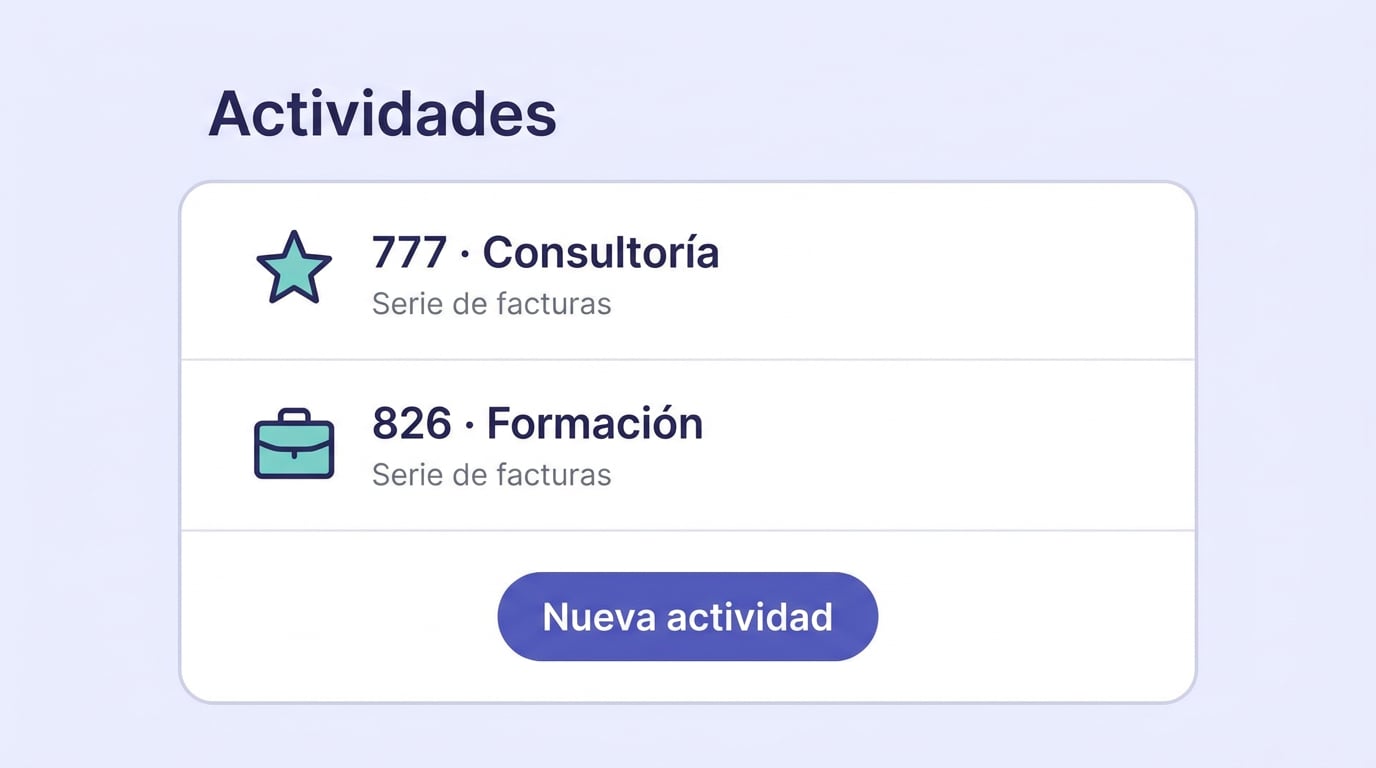
From that moment on, every quote, invoice, and expense is linked to its activity. You can change it directly in the document, even on already issued invoices: the activity is just a classification, it doesn't affect the number, the totals, or the Verifactu chain. When you convert a quote into an invoice, the activity carries over with it; the same goes for corrective invoices.
The numbering you were already using
Those coming from an accountant or another software usually have an ongoing numbering sequence for each activity, such as 2026/000005. When issuing, the activity selects the series, so each heading follows its own sequential order without getting mixed up. And each series has its own format: the prefix, the next number, and how many digits it has. If your last invoice was 2026/000005, you create the series with the prefix "2026/", next number 6, and six digits, and the first one you issue will come out as 2026/000006. If the prefix ends in a forward slash or a hyphen, the number is placed right next to it; otherwise, it is separated by a hyphen, as always.
One rule remains unchanged: a series never goes backwards. You can advance the next number to pick up where you left off, but you cannot go back. This is required to ensure a gapless sequence.
What your accountant sees
- In Documents and Expenses, you can filter by activity, and in Reports, you can choose the activity axis or open the By activity report.
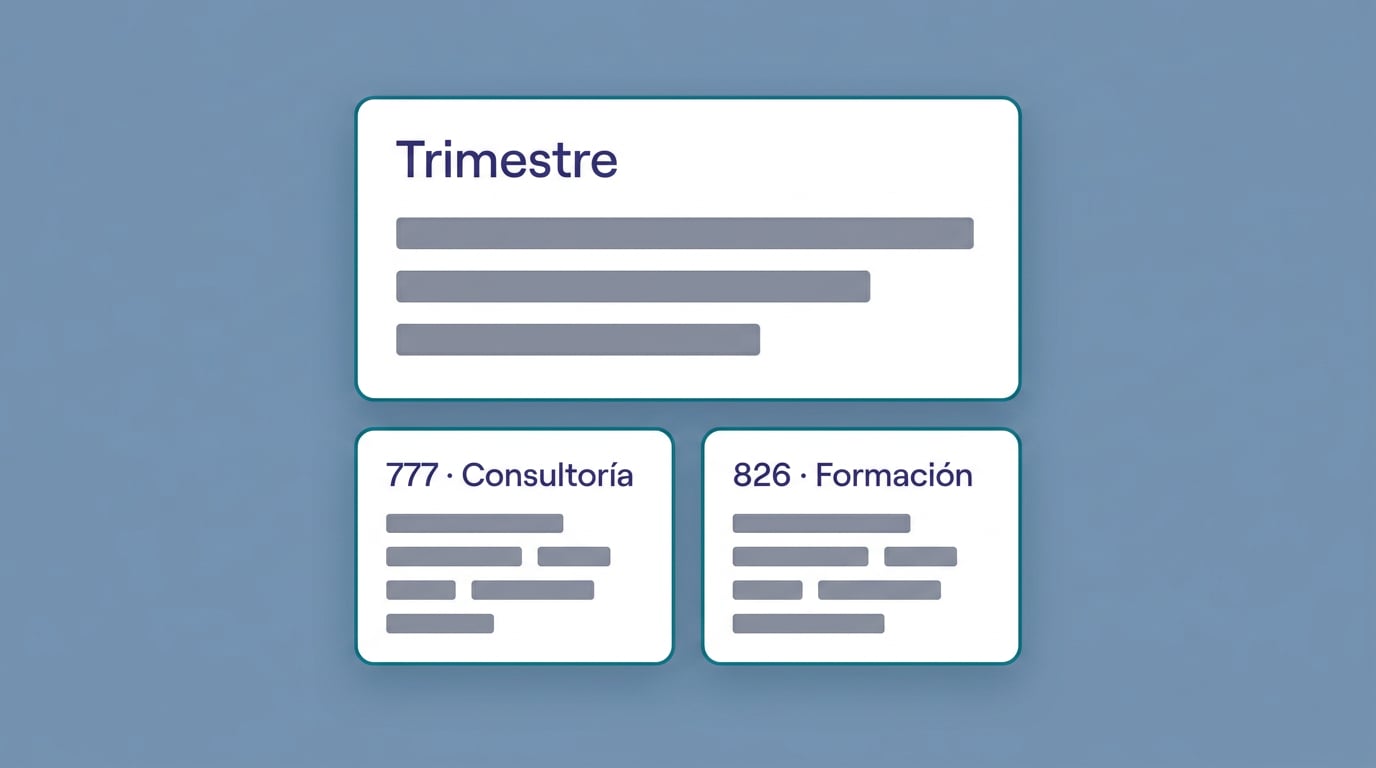
- The quarterly summary shows the breakdown by activity below the consolidated total. The modelo 303 remains a single form; the result by activity is what is used for the modelo 130.
- The sales and purchase invoice ledgers have the Activity column at the end, without moving the columns your accountant is already familiar with.
- Anything prior to creating the activities remains "unassigned", and Assign items without activity classifies them in bulk all at once.
An example: starting on 1 October
A consultancy invoices consultancy under heading 777 and training under 826, and until now their accountant managed two separate numbering sequences. They want to start using NAiOS from the fourth quarter so that each quarter lives entirely within a single system. There are four steps: create the two activities, create the series for each one with the next number in line and the number of digits previously used, mark the primary one, and, from 1 October, enter invoices and expenses as usual. On 31 December, they download the ledgers with the activity column and the quarterly breakdown, and send them straight to their accountant.
What doesn't change
- Without activities, the ERP works exactly the same as before.
- The series still dictates the number and Verifactu; the activity only decides which series applies.
- A company is still tied to a single NIF. If you actually have two separate legal entities, then those are indeed two companies.
- An activity that hasn't been used yet can be deleted; if it already contains documents, it is archived, and the classified items retain their activity.
Getting started takes ten minutes
Open the ERP, go to My company → Activities and create the first one with its heading. When creating the series from the activity itself, enter the next number and the number of digits you were using. Repeat with the second activity, mark the primary one, and issue the next invoice. If you already had documents from this year, "Assign items without activity" will put them where they belong. And if you invoice recurring services, any invoices prepared from now on will carry the primary activity, and you can change it on the invoice itself if a different one applies.