
Between an advisory firm and its clients there is an endless email thread: "send me the deed", "the tax registration is missing", "is the quarter filed yet?". Portal replaces it with a client page, created from the client's record in Gestoría or Despacho, where the professional requests documents and decides which status to show. With one fixed rule: nothing is visible by default. Available today on every plan.
Inviting is onboarding
The professional opens the client's record, presses "Client portal" and the portal takes their name, email and tax ID. "Invite client" sends a personal link that expires after fourteen days, and can be resent or revoked. If the client has no account, they create one on that same page, free, with no separate sign-up and no passwords over the phone. If they already have one with that email, they log in with it and the portal links itself. The email must match: logging in with a different account is refused.
A client who is in both Gestoría and Despacho shares a single portal: create it from both records with the same email and they merge. And every resend issues a new link that kills the previous one.
"Upload the tax registration and the deed": requests with quarantine
A request has a title, optional details and, if the client belongs to Despacho, the case file where the document should end up. The client uploads the file, PDF, image, archive or office document up to 15 MB, and it goes into quarantine: nobody else sees it until the professional reviews it. Validating accepts it and, if it had a target case file, it lands on its own among that Despacho case file's documents, with no forwarded emails or duplicated folders. Rejecting requires a reason: the client receives it and uploads again.
The client cannot download what they uploaded: they see name and size and can re-upload while it is not yet validated. And if the professional has lost access to the target case file, validation stops and the file stays in quarantine.
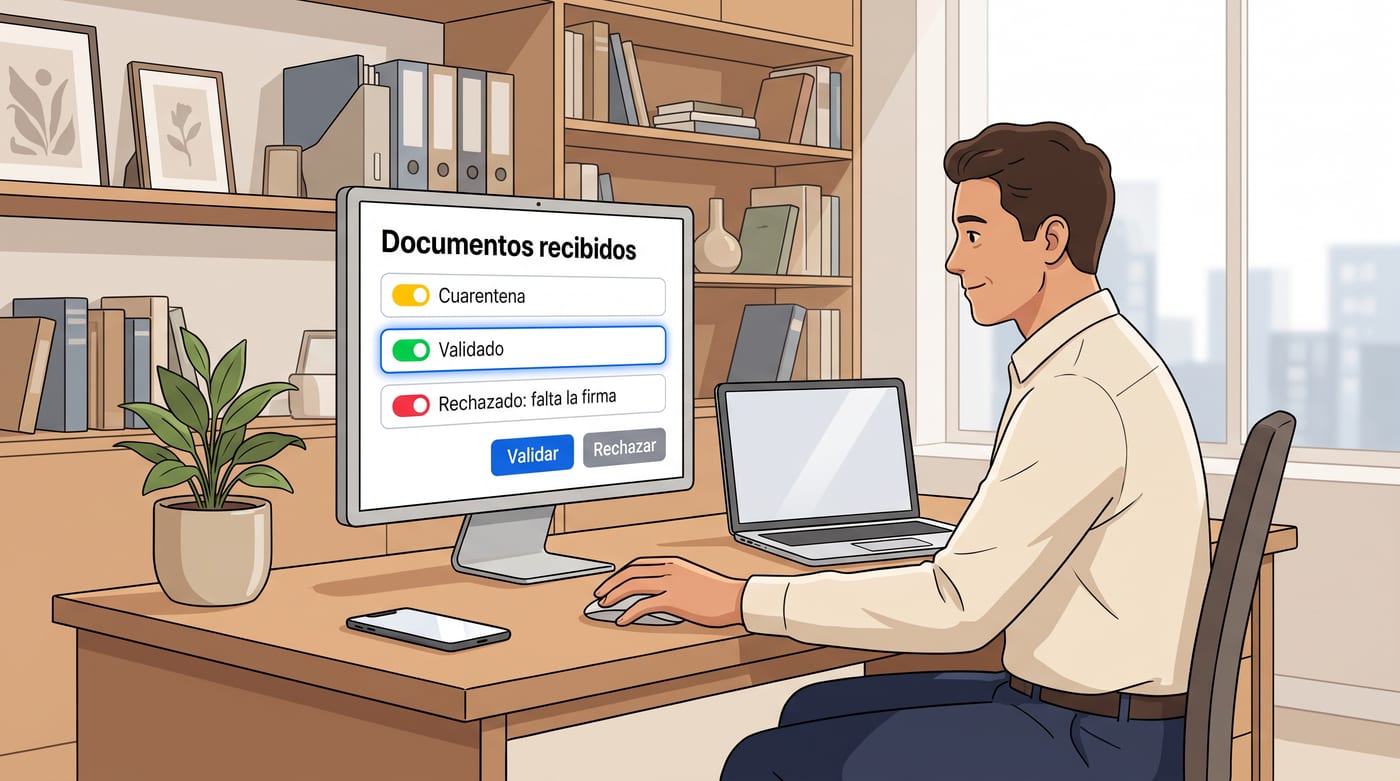
What your client sees is up to you, block by block
Each status block is switched on deliberately and separately. And each one comes with its own built-in red line.
- Tax traffic light: green, amber or red, next filing and last filed. Never amounts, fees, notes or the assigned manager.
- Case files: reference, title, status and dates. Restricted ones never appear, not even as existing. No hours, no rates, no actions, no internal notes.
- Invoices: number, date, status and total of those issued from the ERP. No costs, margins or drafts.
- Signatures: only the pending counter from Firma. Signing links go by email.
- Appointments: whatever booking link the professional sets.
Readings are made with the professional's access. If their access is revoked in Gestoría or Despacho, those blocks go empty for the client automatically. Professional secrecy does not depend on someone remembering to switch something off.

Notifications both ways
New request, document uploaded, validated or rejected: every step notifies whoever it concerns by email and through the NAiOS bell. The professional does not watch an inbox; the client does not ask whether it has been seen yet.
The door to their own business
The account the client creates is theirs. From the same portal they can switch on the modules for their own business whenever they want, invoicing, treasury, accounting, whatever they need. And that acquisition is credited to their professional. A firm with a hundred clients on the portal has a hundred businesses one click away from working in NAiOS alongside it.
Three ways to use it
The advisory firm at quarter close. Eighty clients, eighty portals. The firm sends the same request to all of them: "received invoices for the quarter". Each client uploads their own, whatever arrives wrong is rejected with a reason, and the green tax traffic light tells the client it has been filed, with no phone calls.
The law firm with a live case. The lawyer requests the case documents from the client's record and marks the target case file. What is validated lands in the case file, the client sees the status and dates, and never sees the hours, the rate or the restricted case files.
The client who grows. A client who came in to upload a tax form switches on the ERP to invoice and Tesorería to reconcile. Their advisory firm sees everything from Gestoría, and the acquisition is attributed to whoever invited them.
What it does not do, yet
In this version the portal is managed by whoever created it, and statuses are read with their access; delegating to another member of the firm will come later. Closing a portal stops showing it to the client, but delivered documents are kept: validated ones already live in the case file.
Getting started takes five minutes
Open a client's record in Gestoría or Despacho, press "Client portal" and invite them. Create a first request and switch on the block you want them to see. To see the portal within the full cycle of an advisory firm, here is the complete cycle.