An advisory firm that serves forty companies lives in forty worlds at once: each client with its VAT, its withholdings, its payroll, its folder of papers and its own particular way of sending things late. The real tool of most firms is still the same: email, a deadline spreadsheet someone maintains by hand, and the memory of the partner who knows everything.
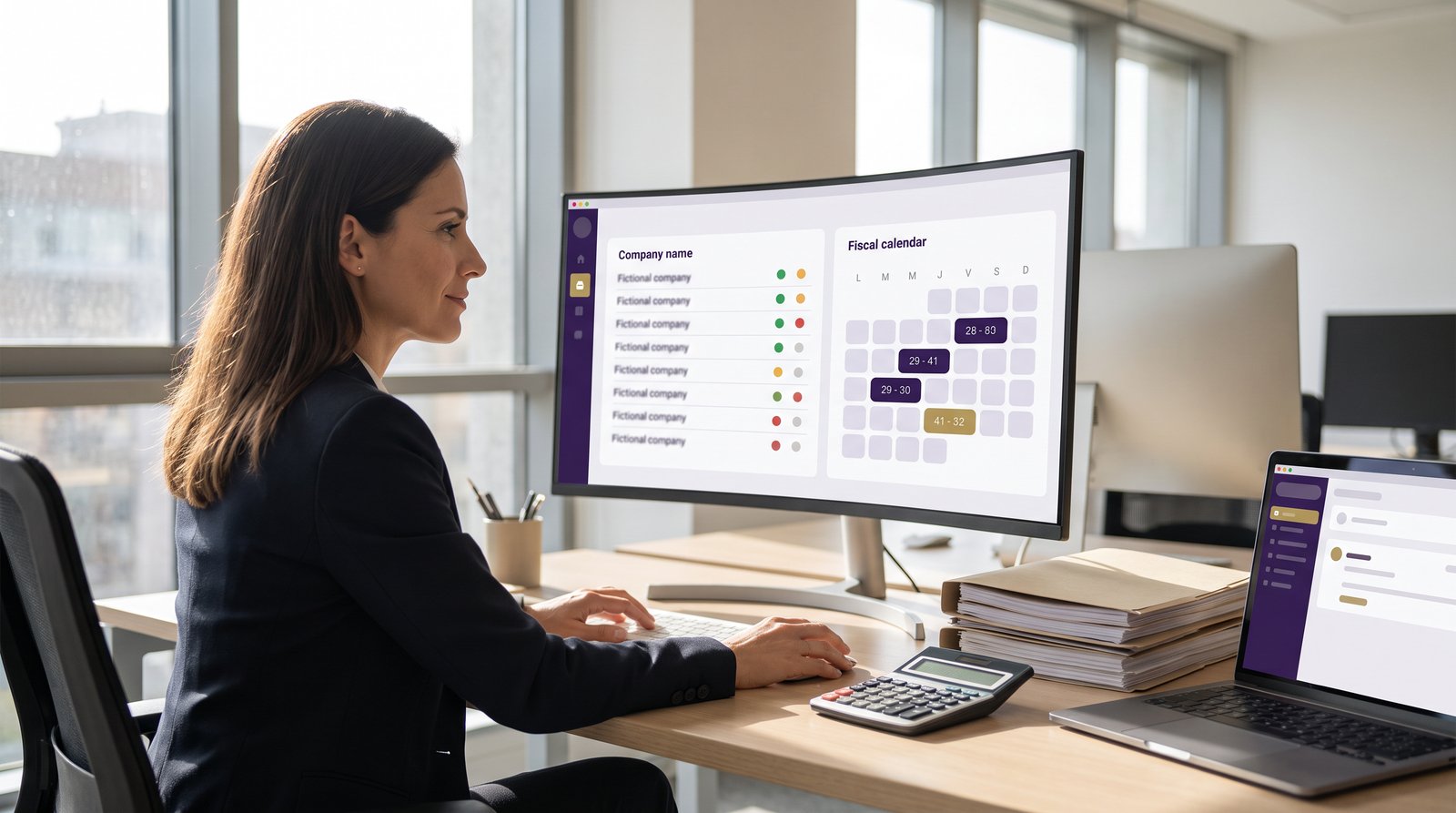
NAiOS Gestoría is the tax and labour advisor's mission control inside NAiOS: the whole client portfolio on one traffic-light panel, a fiscal calendar that generates each client's filings by itself, the monthly labour cycle automated with companies running NAiOS RRHH, and an AI copilotAI CopilotAI Assistant integrated into work tools that knows your portfolio by heart.
The portfolio, at a glance
Each client is a card: name, tax ID, fiscal profile (quarterly or monthly VAT? which forms?), and its links to the rest of the platform. The portfolio panel shows a traffic light per client: green if all is on track, amber if deadlines are near, red if something is overdue. Forty clients, one glance, zero surprises.
And there is an important privacy decision here: if your client runs their invoicing on NAiOS ERP, you never ask them to export anything — they invite you into their workspace and you see their aggregated numbers from your portfolio: receivables, quarter invoices, VAT. The invitation is controlled by the client, and if one day they revoke your access, the aggregation stops on the spot. Their data is theirs; you see it for as long as they want.
The fiscal calendar that writes itself
The heart of the module. You define each client's fiscal profile once — quarterly, with forms 303, 111 and 130, say — and the system generates the whole year's plan by itself: every form, for every client, with its real AEAT deadline. Q4 VAT by 30 January, Q4 withholdings by 20 January, the annual 347 in February, the 390 in January, corporate tax in July. The firm's fiscal queue shows everything pending sorted by urgency, and the system warns the assigned person seven days ahead and again on the eve.
When you file a form, you mark it as filed and archive the receipt on the client's card — so anyone in the firm can find the receipt for that Q2 VAT return from two years ago in ten seconds. And let us say it plainly: NAiOS Gestoría does not file anything with the tax agency for you; it records, organises and archives. The actual submission remains yours, with your certificate and your judgement.
Your team, with assigned clients
Invite the firm's employees and assign each one their clients: every employee sees only their own portfolio — their clients, their deadlines, their alerts. The partner sees everything; each specialist, their own. The fine-grained permission a real firm needs.
The labour cycle, without the email ritual
If your client uses NAiOS RRHH, the monthly payroll ritual is automated end to end. On the 25th, the client's company generates its monthly variations by itself — hires, leavers, absences, hours — and they land in your labour queue, per client, without anyone writing an email. You calculate the payroll in your usual software (NAiOS does not calculate payroll, and that is a deliberate decision), upload the PDF batch once, and the system matches each payslip by ID number and delivers it to each of the client's employees, with an acknowledgement you can see too. You know which employee has received their payslip and which has not, without asking.
Reaching the whole portfolio
Withholding rates changed? Quarter-end is coming? The Circular button writes one email for your whole portfolio — or the clients you pick — and leaves it as drafts in NAiOS Mail, one per client. Nothing ever sends itself: you review the drafts and send them from your own mailbox. It is the golden rule of the whole platform: the machine prepares, the human decides.
The quarter sheet
One click and you have the portfolio's quarter summary in NAiOS Office: one row per ERP-linked client — invoices, sales base, output VAT, input VAT and the resulting VAT position. If you lost access to some client, their row says so honestly ("no access") instead of inventing a zero. The quarter snapshot that used to cost a morning, in seconds.
Connected to everything else
Fiscal deadlines appear in your NAiOS Calendar next to your meetings: on 20 October you will see each client's VAT chips in your own calendar, one click away from the fiscal queue. And if the firm uses NAiOS CRM, the 360 view of any company cross-references your portfolio by tax ID and shows its fiscal situation — next deadline, overdue forms — right next to its invoices, tickets and conversations.
The firm's copilot
The panel ships with an AI assistant that works on your real portfolio:
- "What is overdue or about to be?"
- "Summarise this client: profile, deadlines and how their quarter is going"
- "Prepare a circular announcing the Q3 close to every client"
- "Pull this month's labour variations from the clients on RRHH"
- "Mark the clinic's Q2 VAT as filed"
Questions are answered on the spot with your data. Actions — marking as filed, preparing the circular, pulling variations — are left as proposals you approve with one click. In a firm where a mistake gets filed with the tax agency, that pause is not a detail: it is the design.
Three ways to use it
The forty-client firm. The deadline spreadsheet retires: the fiscal calendar generates itself and the traffic light says where to look each morning. Each specialist logs in and sees their assigned portfolio; the partner sees the whole. Receipts stop living in network folders with creative names.
The labour-only firm. Fifteen payroll clients. Variations arrive by themselves on the 25th from every company on NAiOS RRHH; the PDF batch is uploaded once and delivers itself with acknowledgements. The dreaded week of the month shrinks to an afternoon.
The company that invites its advisor. It works the other way around too: if you run your business on NAiOS, invite your advisory firm into your ERP and your RRHH. Your advisor sees your numbers without asking for exports, your variations reach them by themselves, and your employees get their payslips in their portal. You control what they see, and you can cut the access whenever you want.
Getting started takes five minutes
Activate the module, create your firm, add your clients with their fiscal profile — and the year's calendar appears by itself. Invite your team, assign portfolios, and let the alerts do the rest. NAiOS Gestoría is part of the NAiOS platform: the same house as the CRM, the ERP and RRHH. If you want to understand why one integrated platform beats ten separate tools, we tell the whole story in this article.