
Almost every small business does its bookkeeping the same way: invoices pile up in a folder, they go to the accountant once a month, and the accountant types them into their software. Contabilidad, the NAiOS accounting module, starts from a simple observation: the suite already knows what you invoiced, what you spent and which payments came in through the bank. With that, the ledger can write itself. What it never does is post anything without you: every entry is born as a proposal and you post it. It is the house's own A3 or ContaPlus, available today on every plan and for every company in the ERP.
From invoice to journal entry without typing
The "Generate entries" button reads what is new in your company and turns it into entries under the Spanish General Accounting Plan for SMEs. An issued invoice produces the customer's sub-account, the sale, output VAT by rate, with equivalence surcharge where it applies, and withholding if it is applied to you. A credit note comes out with the sides reversed. A cancelled invoice generates its reversing entry, because nothing is ever deleted here. Expenses go to their account, customisable per supplier, with input VAT and the supplier's sub-account. And every receipt or payment reconciled in Tesorería makes its entry against the sub-account of the actual bank it came through, partial receipts included.
The generator also runs on its own every hour and is idempotent: running it again never duplicates an entry. ERP drafts do not count; only what was truly issued. And one proof that it balances: the output VAT in the ERP quarterly summary matches the balances of the 477 accounts to the cent.
You post: from proposed to posted
House rule: nothing is posted on its own. Every entry is born proposed. You open it, see its debit and credit lines, and post it, one by one or with "Post all". On posting it receives its entry number for the fiscal year and becomes immutable. Correcting means a reversing entry, never editing or deleting. A proposal you do not want is withdrawn and will not be proposed again on its own.
Sub-accounts create themselves on the first entry: 4300 and up per customer, 4000 per supplier, 5720 per bank, with their name, and they are never reassigned. Calendar fiscal years and their twelve periods are created automatically too. Locking a month prevents posting inside it, and renumbering a year reorders the numbers by date, with a warning if you have already exported.
Nothing is hidden: the issues tray
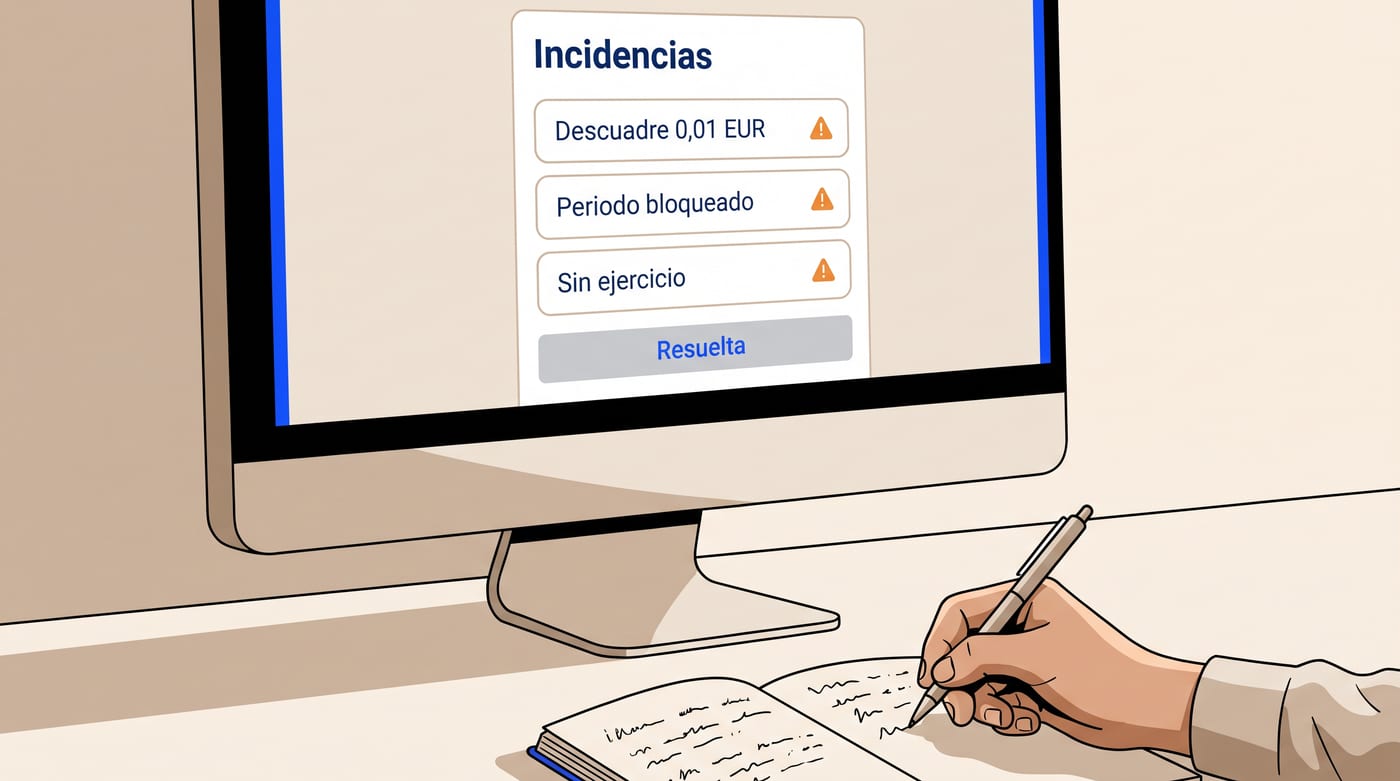
When something cannot be posted, no lame entry is fabricated. A mismatch in the source data, a date with no fiscal year, a locked period, a missing mapping or an invoice that changed after being posted all show up in the issues tray with their reason. You mark them resolved once fixed. We would rather show you the problem than bury it in a balance sheet that does not add up.
Balances, ledger and draft annual accounts
The Balances tab brings the three classic reports on posted entries, with the option to include proposals as a draft: trial balance with a balancing footer and a click on any sub-account to open its ledger with running balance, profit and loss by heading, and balance sheet with the 47x accounts classified by the sign of their balance, as they should be. If it does not balance, it says so in red. Everything exports to an Office spreadsheet in one click.
It also produces the SME annual accounts, balance sheet and profit and loss with headings, in a spreadsheet marked as a draft to review with your advisor before filing. The official Registry format is deliberately left out: an honest draft is worth more than a blind filing.

Year-end closing, with its conditions
Closing the year makes the three usual entries: the regularisation of groups 6 and 7 against account 129, the closing entry that brings the balance sheet to zero, and the reverse opening as entry number one of the following year, which is created automatically. It demands three things without exception: every period locked, zero proposals and zero issues. A closed year is fully immutable. And if a closing is interrupted halfway, running it again completes it without duplicating anything.
Cost accounting and fixed assets
Create dimensions such as department, project or store and tag income and expense lines with them while the entry is still proposed. Expenses tag themselves if you assign a dimension to each supplier, and every asset depreciates under its own. The analytics view shows the result by dimension, and the trial balance and ledger accept the filter.
Under Fixed assets you register the asset with its type, which comes preloaded with the asset, accumulated depreciation and depreciation expense accounts, the amount excluding VAT and the useful life in months. Straight-line monthly depreciation is proposed automatically, with the odd cents in the last instalment so the total is exact. Disposal stops depreciation and reminds you that the sale or loss entry is yours, from the manual entry editor.
For your accountant, or for your advisory firm
Export downloads the posted journal in two formats. The accounting CSV, one row per line with sub-account, debit and credit, document, base, VAT rate and tax ID, imports into any Spanish accounting package. The ContaPlus format is in beta: validate the first import with your version before trusting it, because the exact layout varies and we prefer to tell you. And if your advisory firm already works in NAiOS with Gestoría, there is nothing to export: whoever sees your ERP sees your accounts, and whoever edits, posts.
Three ways to use it
The small business with an external accountant. A workshop invoices from the ERP and reconciles the bank in Tesorería. Every Monday the owner opens Contabilidad, reviews the week's proposals and posts them in bulk. On the 5th of each month they export the CSV and send it to the accountant. Zero retyped invoices, zero "I'm missing the one from supplier X".
The advisory firm running forty companies. Each client has its company in the ERP and its accounts on top. The firm logs in, reviews issues, posts and pulls a trial balance per client without dumping anything into another program. Year-end closing is done company by company, with the hard conditions that prevent closing with something left hanging.
The business with three stores. Three dimensions, one per store, and every supplier mapped to its own. Expenses tag themselves, the income statement comes out per store, and each shop's fixed assets depreciate against its dimension. Management sees which store makes money without a separate spreadsheet.
What it does not do, said plainly
It files nothing with the tax agency and does not replace your advisor: it hands them the work done. Official filing of annual accounts and day-prorated depreciation are out of scope. Unclassified bank movements are only proposed if you enable it, go against account 555 and must be reclassified before posting. And from the chat you can only query: the balance and pending tools are read-only, because an agent does not sign a journal entry.
Getting started takes five minutes
Open Contabilidad from your ERP company, press "Generate entries" and look at what it proposes. If you have reconciled receipts in Tesorería, you will see bank entries with the real sub-account. Post a batch, open the trial balance and check that it balances. To see how it fits into the full cycle of an advisory firm, here is the complete cycle.