
There are plenty of platforms for selling courses. Almost all of them do the same thing: host videos, take payment, send a certificate. NAiOS Academy starts from a different question: what if the student learned by using AI instead of watching someone else use it? The result is a module that is two things at once: a private academy for every trainer, with their own brand and domain, and a classroom where every exercise is solved by talking to NAiOS AI. It is available today on every plan.
One clarification before we go on: this is not academy.naios.net, our public video gallery. That is content to watch. This is the module you use to create, sell and get paid for training inside your own NAiOS.
Your academy, your brand, your domain
In NAiOS every academy is a separate tenant. It has its own colours, logo, cover (generate it with AI or upload your own), catalogue, blog and public page. If you want, it appears in the platform's academy directory; if not, it stays private and is shared by link.
It also has a custom domain. You add a TXT record to your DNS, the platform verifies it, and the academy is served from your own web address. A student of "ACME Academy" goes to acme.com and sees ACME, not NAiOS. How many academies you can open depends on your plan; the panel tells you when you reach the limit.
Courses you practise, not just watch
A course is organised into chapters and blocks: text, video, exercise. You write it by hand in the visual editor or with AI, which can propose the outline, draft blocks and even generate a full first draft from a script. The student goes through it in a vertical player, ticks each lesson, and their progress is saved under "My training".
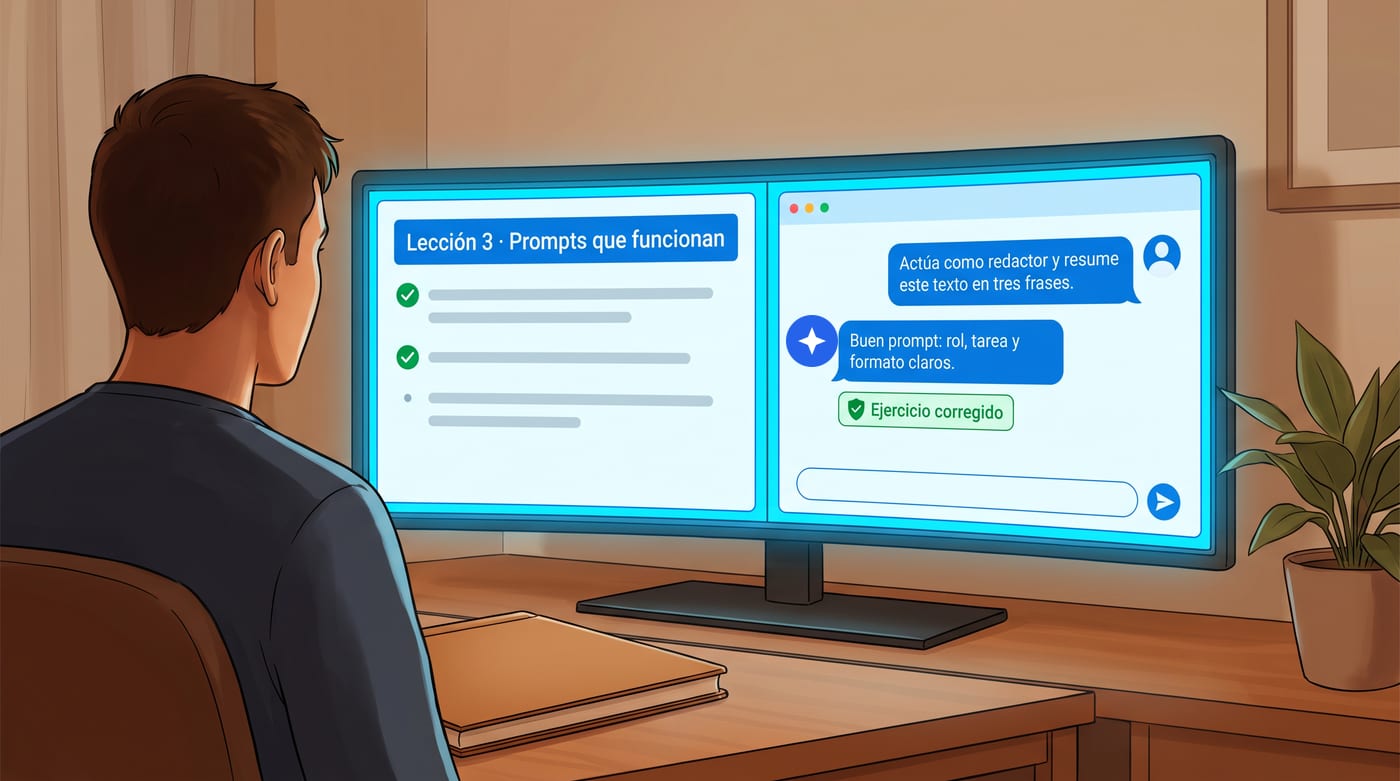
The difference is in the exercises. When a block is an exercise, a practice chat tied to the course opens: the AI knows the material and the trainer's instructions, and the student solves the task by conversing. A prompting course is done by writing real prompts; a data analysis course, by uploading the data and asking. There is also an AI tutor that answers questions about the syllabus, grounded in the course's knowledge base, and says so honestly when it does not know.
For those who want to go one step further, the trainer can enable an avatar tutor on video call: a face and a voice that explain and ask questions, with minutes capped per session, per day and per month so the cost never runs away. The avatar service key is stored encrypted and never reaches the browser.
Selling: courses, masters, shop and events
Every course has a price, or none. A free course, or one with a 100% coupon, grants instant access without going through checkout. Coupons are by percentage or amount, with usage limits and an expiry date, so the launch offer closes itself.
- Masters: group several courses under a single enrolment with their own final certificate. It is the bootcamp format without building anything extra.
- Shop: digital products whose file is only downloadable after purchase, and physical products with stock, size or colour variants with their own SKU, VAT, shipping address and order tracking. With categories, image gallery and configurable currency.
- Academy Events: in-person or online events, with days and sessions, speakers, ticket tiers (early bird, general, VIP), multi-day packs and attendee check-in at the door.
Getting paid and splitting revenue without spreadsheets
The student pays by card through Stripe. The amount is split automatically: the platform's commission on one side and the creator's net on the other, paid out to their connected account. Every sale is linked to its order, and the order detail is visible to those entitled to it: the academy owner and whoever earned from that sale.
If a course is made by several people, co-authorship settles the split before there is an argument. The owner invites a co-trainer with a commission contract, fixed or percentage, and from then on every sale divides itself among the collaborators as agreed. The academy team also has role-based permissions: whoever manages students does not touch prices, and whoever sees analytics does not see personal data unless entitled.

Certificates anyone can verify
On completing a course or a master, the student receives a certificate. The template is yours: texts, colours and a background generated with AI or uploaded. Every certificate carries a code and a public verification page, and can be downloaded as a PDF. Whoever receives it on a CV can open the link and see student, course and date.
Growing: blog, newsletter, referrals and social media
An academy without traffic does not sell. That is why every academy comes with a public blog, a newsletter with automatic sign-ups and unsubscribes, and its own referral programme with rewards that never duplicate. Plus an AI Community Manager which, if the administrator enables it, generates content from your courses and blog and publishes it on social networks through NAiOS Connectors.
Three ways to use it
The independent trainer. Marta runs AI workshops for small businesses. She opens her academy in an afternoon, generates the cover with AI, uploads her flagship course with three hands-on exercises and a 30% launch coupon. She shares the link on LinkedIn. Every student practises in the chat, she follows progress from the roster, and the certificate carries her logo.
The school with a team. A consultancy with five trainers sets up an academy on its own domain. Every course has its author and co-authors with a commission contract. Sales split themselves, the team sees its share, and the administrator sees analytics without exposing student data to anyone who should not see it.
The annual event. An association organises two in-person days with streaming. It creates the event with its days, sessions and speakers, sells tickets by tier and two-day packs, and on the day checks attendees in at the door from a phone. Speakers receive their share automatically.
What is next: classrooms for groups
On this foundation we are building NAiOS Classroom: classrooms for companies and groups, sold as seat packs with no subscription, with the AI model the teacher chooses for each lesson and the partner's brand end to end. Academy is the engine; Classroom, the packaged product.
Getting started takes five minutes
Open Academy from the modules menu, create your academy, brand it and publish your first course, even a free one, to see how your students practise. If you are a trainer, consultancy or agency and want to sell it under your own name, the NAiOS Partners programme gives you the platform white-label. And if you want to understand how Academy fits with the rest of the modules, here is the full NAiOS picture.