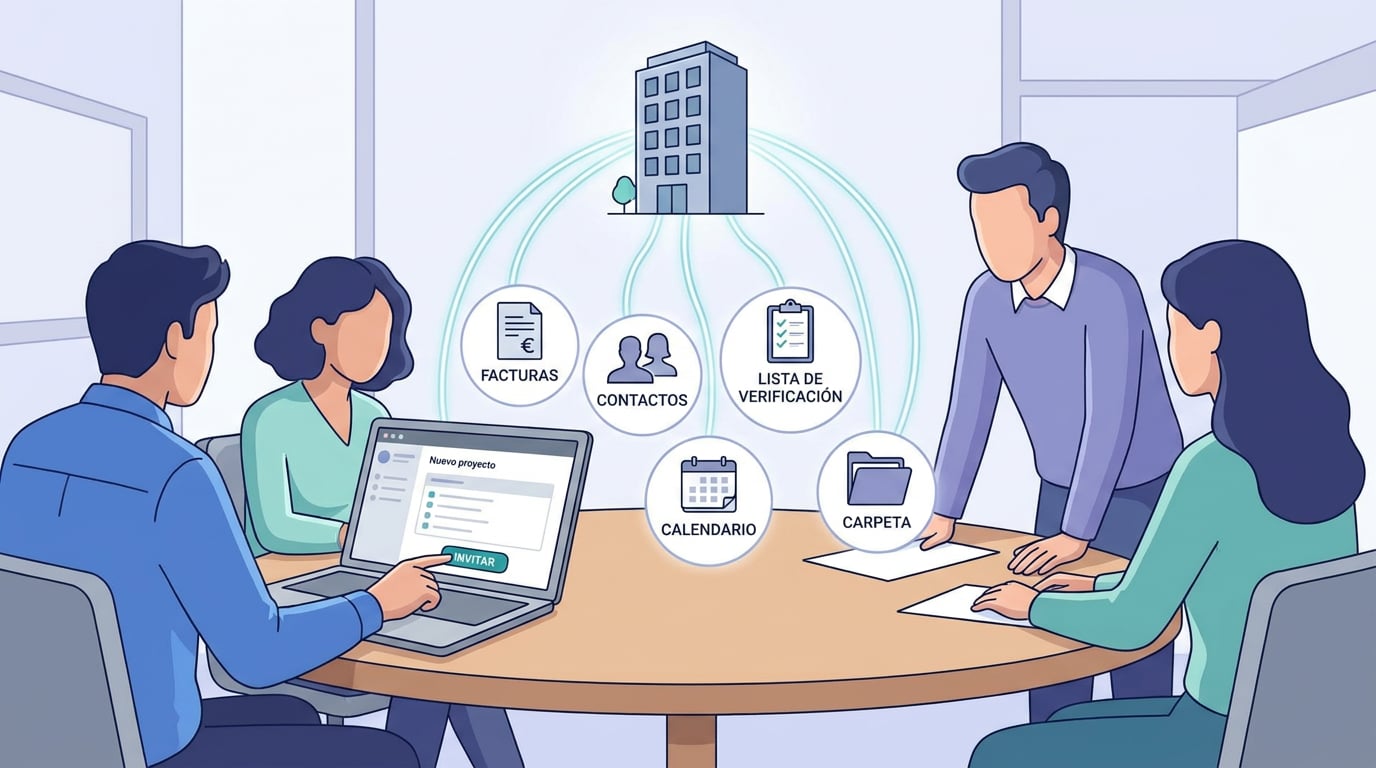
Hasta ahora, compartir el trabajo con tu equipo en NAiOS era un módulo cada vez: invitar a alguien al CRM, volver a invitarle al ERP, otra vez a Tasks, otra al calendario. Funcionaba, pero se repetía. Desde hoy una empresa se comparte una sola vez. En Empresas configuras tus empresas, invitas a tu gente y decides qué ve cada persona en cada módulo; esa empresa aparece en el ERP, el CRM, Tasks, Calendar, Gestoría, RRHH, Despacho, Bookly, Campañas y en la carpeta de empresa de Office y Conocimiento con el rol que le toca. Quitar a alguien la quita de todos a la vez.
Tu empresa personal ya existe
No hay que crear nada para empezar. Desde el primer día tienes una empresa personal, que se llama «Mi empresa» hasta que pones la razón social en el ERP. Es la empresa de tus facturas y no se puede transferir. Si gestionas varias sociedades, «Nueva empresa» crea otra, con su propio ERP, su gente y sus espacios, hasta donde permita tu plan.
Invitar es un correo y un botón
Invitas por email a cualquier usuario de la plataforma. Recibe un correo y un aviso en la campana, y acepta con un botón. Hasta que acepta, no ve nada. Si prefieres pasar la invitación a mano, «copiar enlace» te la da lista para pegar. Revocar deja a la persona fuera de toda la empresa; reinvitar la recupera con un enlace nuevo.
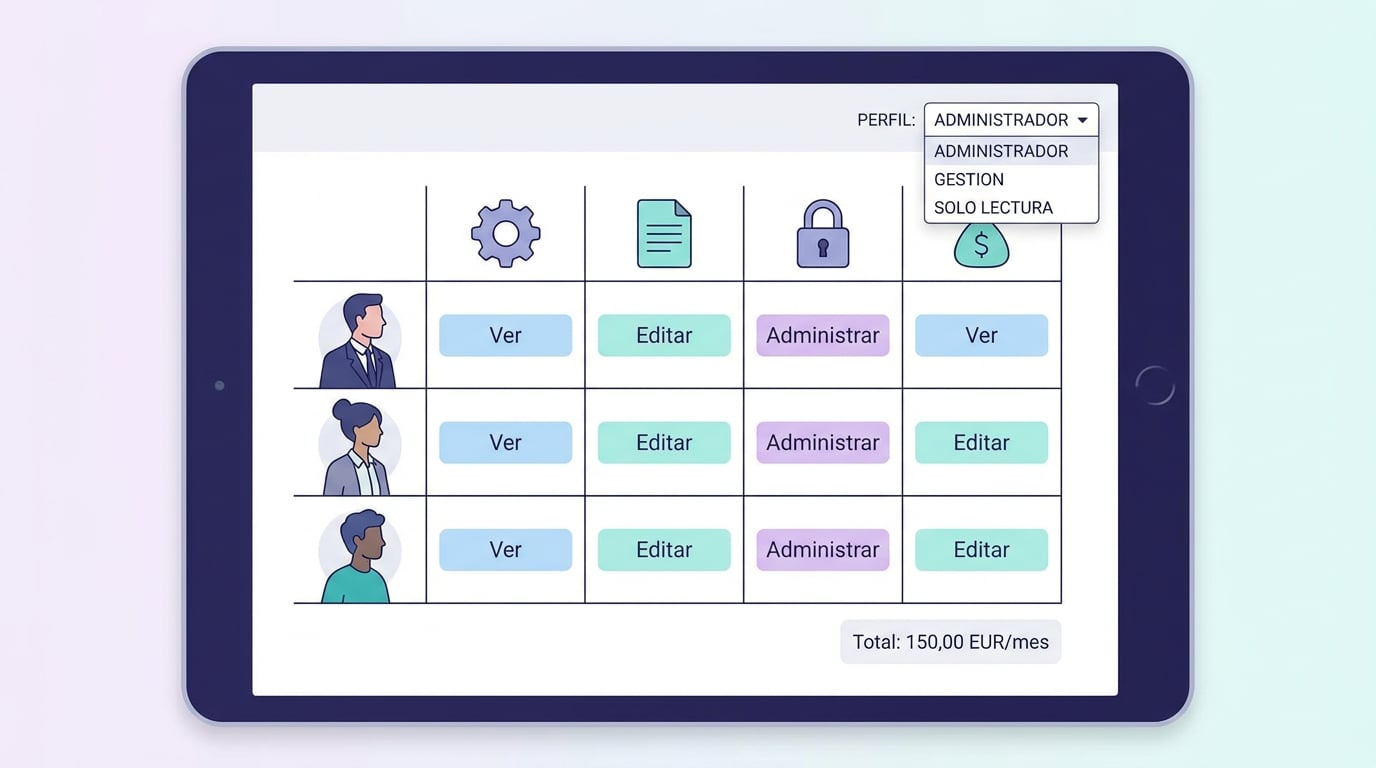
Tres perfiles y una matriz para afinar
- Administrator: manages the company (invites, changes roles, revokes access) and all its modules.
- Management: edits ERP, CRM, Tasks, Calendar, Bookly, and the company folder; only views Gestoría, RRHH, and Despacho.
- Read-only: views everything without making any changes.
The profile populates the permission matrix, and you can then fine-tune it checkbox by checkbox: no access, view, edit, or manage. If someone is on a plan that does not include a specific module, the checkbox will show a warning: they will see the company, but not that module, until they upgrade their plan. The company grants access to the data; the plan grants access to the module.
Los espacios de la empresa
Each module works with a space: a Tasks board, a calendar, a Despacho, a CRM. In "Company spaces", you choose which one belongs to the company: by default, your personal space for each module, another one you already have, or a new one created with the company's name. The ERP is the company itself; Bookly only links to an existing business. And with "Create company folder", the folder "Company · X" appears in My Documents, shared with anyone who has NAiOS Office or Knowledge in the company. This folder can also be the scope of a chat: you ask a question, and the AI answers using the company's documents.
Lo que ve tu gente
In the sidebar of each module, your company appears with the "company" label, without needing a separate invitation. In the team panels of each module, these people are marked "by company" and are managed from Companies, not module by module. Module-specific invitations still work for individual cases.
Y para las gestorías, la pieza que faltaba
A gestoría with several clients used to have to set up access for each person in each module. Now, each client is a company, each person logs in once with their profile, and the Client Portal, Gestoría, RRHH, and the ERP all share the same single source of truth. When someone stops working with you, a single click removes them from everything.
Lo que no hace, a propósito
- Talk is personal: messaging groups are not shared by company.
- Guests cannot create documents inside another company's folder: the owner creates them, and guests edit them.
- Deleting a company is not available; the super-administrator can reassign the owner of any non-personal company.
Companies is part of the core of NAiOS: it is in the menu for all users, across all plans, and the number of companies you can create depends on your plan. Open the ⋯ → Companies menu and check who is in yours. It might just be the perfect time to invite someone.