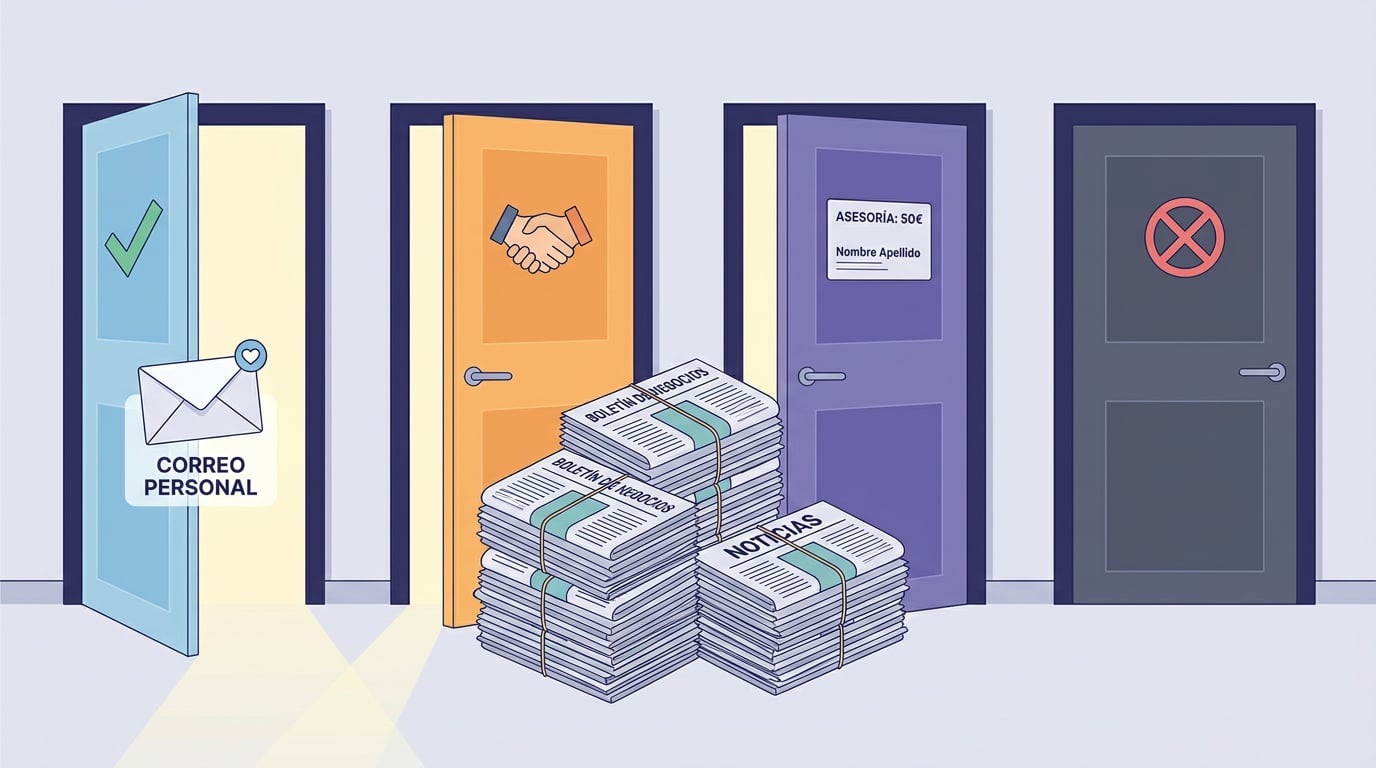
"Can I send this?" is the question that holds back more campaigns than any tool. The short answer is that it depends on who is receiving the email and what relationship you have with them. The long answer is set by the Information Society Services Act (LSSI) alongside the GDPR, and it is simpler than it looks if you break it down into four cases. These four cases are exactly the consent bases used by the NAiOS CRM, which is why Campañas opens one channel or another depending on the declared base. This article explains the criteria; it is not legal advice, and if in doubt, your adviser has the final say.
The starting point: unsolicited commercial communications
Article 21 of the LSSI prohibits sending commercial communications by email to anyone who has not requested or expressly authorised them. It has an important exception: when there is a prior contractual relationship, you can write to them about products or services similar to those they previously purchased, provided you offer a simple and free way to opt out in every email.
This gives rise to the two bases that open up bulk emailing:
- Express consent (opt-in): the person gave you clear permission, for example by ticking a box on a form or confirming an email. This is the strongest basis and the one that requires you to keep proof: who, when, and from where.
- Customer: prior contractual relationship and communications about the same type of product or service they bought. You must also be able to prove this.
The case everyone asks about: professional emails to another company
Here is the nuance. Writing a personal, one-to-one email to someone's professional address at another company to propose a collaboration is a common practice in B2B prospecting. It is not a bulk campaign or a newsletter: it is an individual communication, in your name, to which the person can reply or ask you not to write again. Many firms frame this under the GDPR's legitimate interest for professional contact details, subject to conditions: that it is proportionate, not bulk, that there is a clear opt-out, and that the person's record indicates their professional role and not their private life.
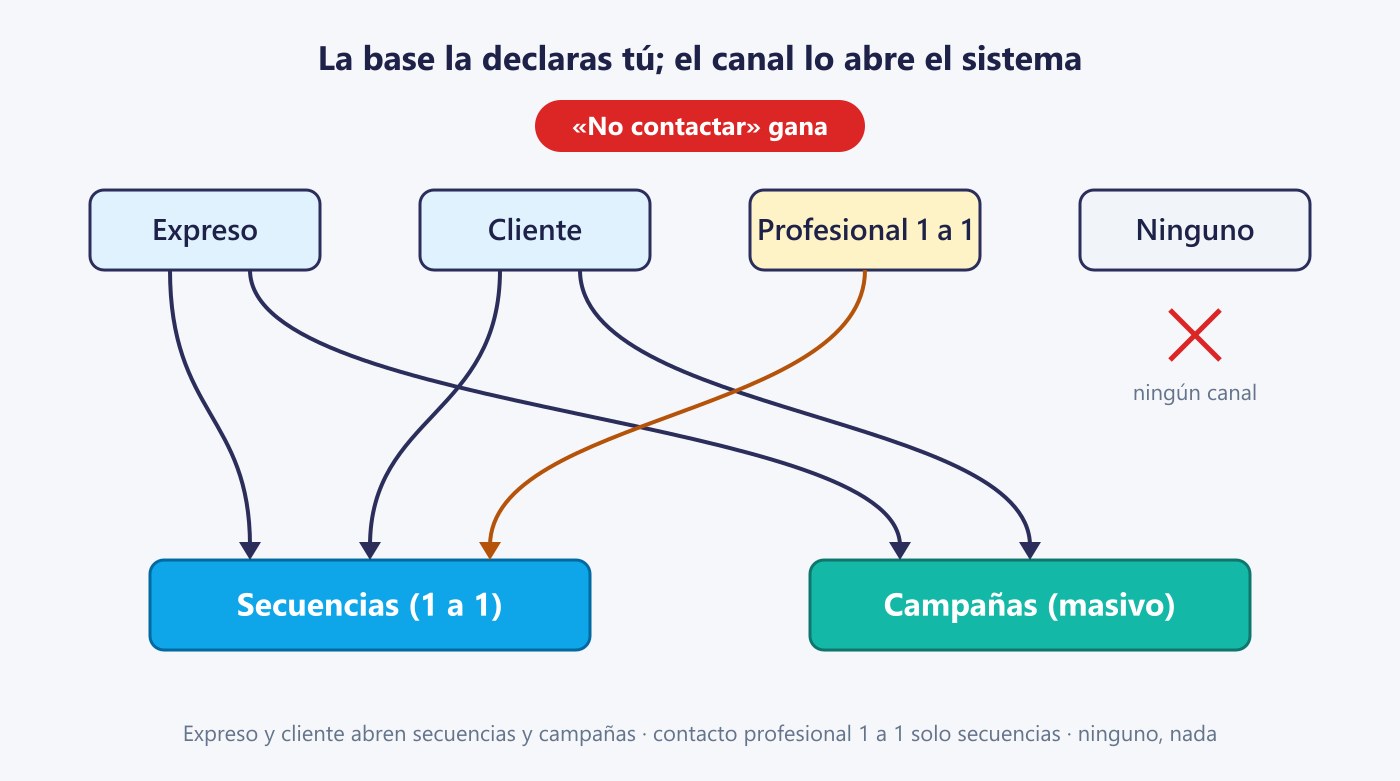
That is the third basis in the CRM: one-to-one professional contact. It opens up sequences (individual emails from your inbox, with quotas and schedules) but never bulk campaigns. This is the basis that applies, for example, to a list of companies obtained from a public register.
And the fourth basis: none
If you do not have consent, a customer relationship, or a reasonable professional justification, the answer is not to send. In the CRM, that record exists (you might have their details for other reasons), but no channel will open. And there is one thing that always wins, whatever the basis: the "do not contact" tag. If someone has asked you not to write to them, you do not write to them, even if they were once a customer.
What every email must include
- Clear identification of the sender and, for bulk emails, of the company responsible (registered company name).
- A simple way to opt out in every email: an unsubscribe link that works with a single click, without having to log in or argue. Email clients also expect the standard unsubscribe header.
- Immediate respect for the opt-out: anyone who unsubscribes will never receive anything again, from any campaign.
What you should keep on record
The burden of proof is on you. For every contact, it is best to have a record of which basis you are starting from, when it was declared, where it came from (form, contract, trade fair, public register) and who logged it. If you are ever asked, you answer with data, not a memory.
How NAiOS applies this
The CRM asks you for the basis when creating or importing contacts and records who declared it and when. Campañas opens sequences for the first three bases, and bulk emails only for the first two; "do not contact" shuts everything down. Every email includes a one-click unsubscribe and the standard header; unsubscribes, bounces, and complaints go to a workspace-wide suppression list that no mailing can bypass and which cannot be emptied from the interface. Lists for campaigns do not accept addresses without a declared basis, and with Forms you can set up a double opt-in that keeps the proof saved. We do not leave the criteria to anyone's memory: it is built into the product.
That said, laws change, authority criteria do too, and every sector has its nuances. Use this as a map, not a legal ruling, and check with your adviser on anything you are not sure about. If you want to see how this looks in practice, read the Campañas announcement.