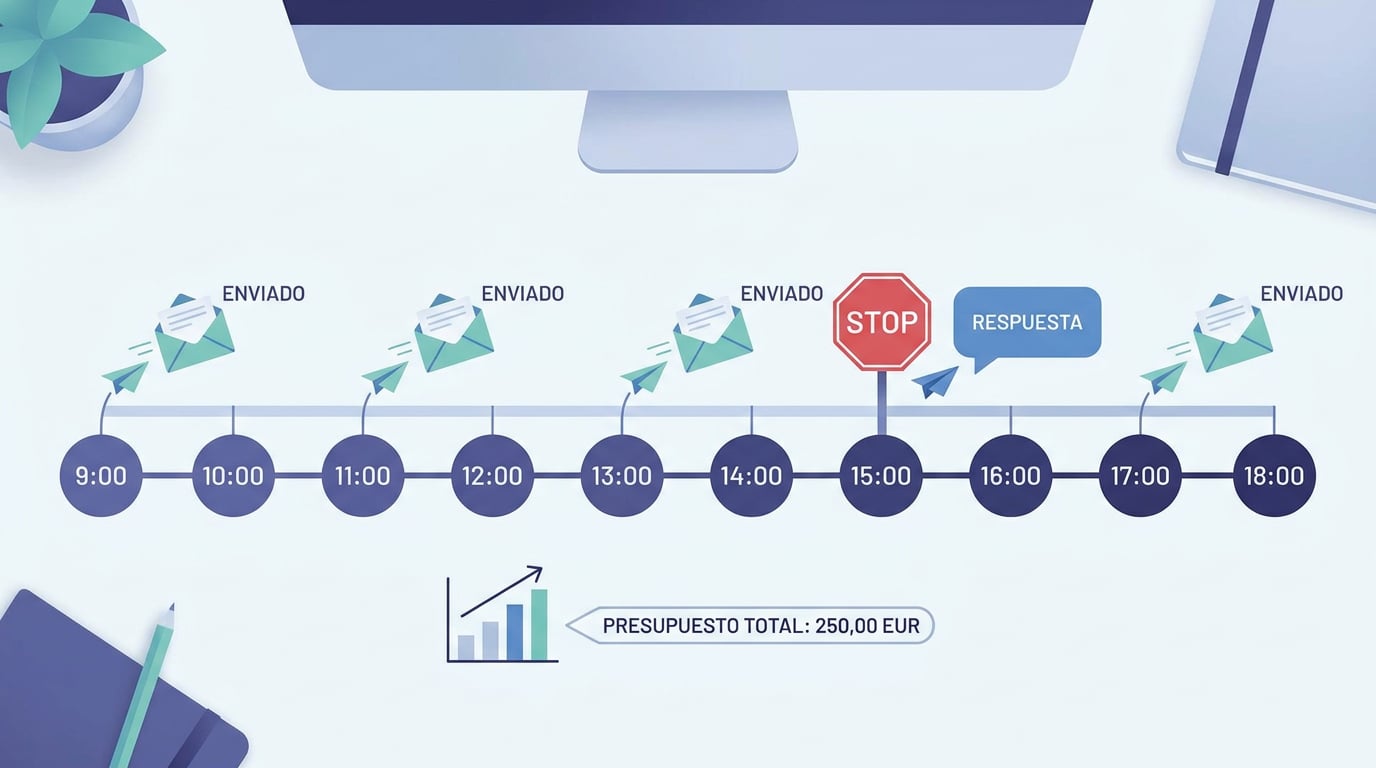
Anyone who has used cold email tools knows the scene: the sequence keeps firing the third email to someone who already replied yesterday, or you wake up to a blocked inbox because three hundred messages went out in ten minutes. NAiOS Campañas sequences were designed the other way around: as if the emails were sent by a sensible person, for a little while each day, from their own inbox. These are the pieces that make it possible.
From your inbox, not from a third-party server
Each sequence is sent from a NAiOS Mail account that belongs to you: your domain, your signature, your Sent folder. The recipient receives a normal email with your name, and if they reply, the response lands in your inbox just like any other. There is no shared sending domain with strangers, nor any borrowed reputation.
Hourly and daily limits, with warm-up
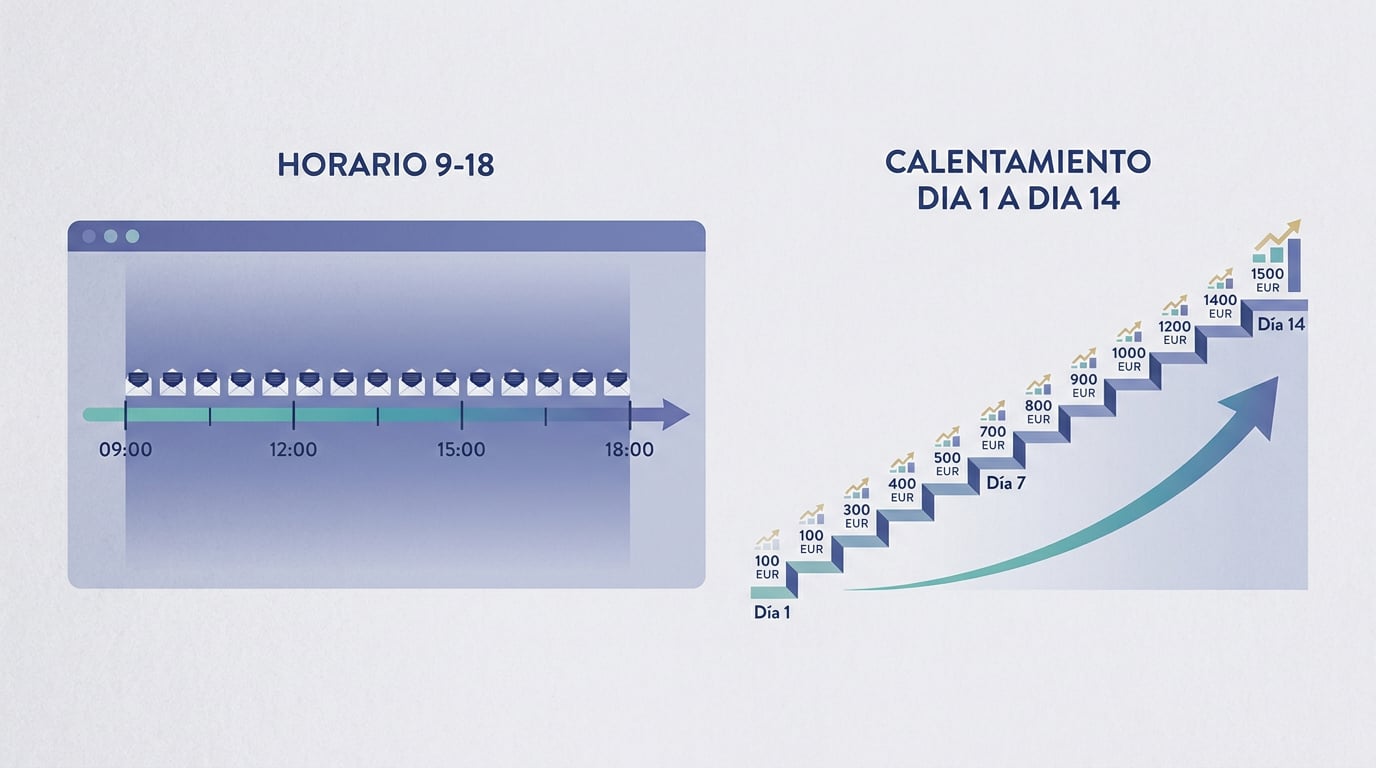
Each account has an hourly and daily limit. Your plan and instance set the ceiling; you can lower it per sequence. And when you start using a new account, the engine applies a two-week warm-up period: ten emails go out on the first day, fifteen on the second, twenty on the third, until the normal limit is reached. This is exactly what someone starting with a new inbox would do, and it is what email providers expect to see.
Working hours and no bursts
Emails are sent within a time window that you define for each day of the week, in your chosen time zone. Outside of this window, they wait. And within it, there are no bursts: even if a hundred enrolments fall due at the same time, the engine sends at most one per account per minute, with a twenty to ninety-second spread between messages. One email at 9:03, another at 9:04, another at 9:06.
Every email, a draft for you to approve
When it is time for an email step, the engine does not send it automatically: it generates a draft using the template and the contact's variables (name, company, province, website, categories, or any field from your CRM) and leaves it in "Approve". You read it, change it if you like, and approve it—either one by one or all at once for the sequence. If you prefer, you can approve only the first one for each contact and let the subsequent ones go out automatically. The one-click opt-out footer is kept even if you edit the body by hand.
It stops when they reply
When you activate a sequence, Campañas asks NAiOS Mail to monitor that inbox. Every new email is compared with what was sent: if it is a reply (even if the recipient's email client does not mark it as "threaded", as long as it comes from that address within the next thirty days), that person's sequence stops. The reply appears as an activity in their CRM record, the contact changes from a prospect to a lead, and the notification bell alerts you. "Out of office" auto-replies do not count.
From then on, the conversation is yours. And if you want to follow it up through another channel, the WhatsApp step of the sequence is only executed for those who have already replied: it creates a task for you with the pre-filled template and the link; it never sends cold messages.
Conditions, delays and tasks
In addition to emails, a sequence includes delays of N days, conditions ("if they haven't replied, continue; if they replied, skip two steps") and tasks: call, check LinkedIn, send a proposal. Tasks appear in NAiOS Tasks assigned to you, with the company name, or as the next step in the CRM record if Tasks is not active.
What it doesn't do, on purpose
- It does not send anything you have not approved, even when the AI writes the draft.
- It does not resend an email whose delivery was interrupted by an outage: it flags it and shows it to you, because the risk of duplicating is worse than the risk of losing one.
- It does not write to anyone on the suppression list, marked "do not contact", or without a basis of consent that opens the channel. Excluded contacts are listed with the reason when enrolling.
The funnel, always in sight
For each sequence, you can see enrolled, sent, replied, leads, and customers, with an export to an Office sheet. And in the chat, you can simply ask "how are my sequences doing?" or "what drafts do I have to approve?". The chat tools query, enrol, and approve, which is what you do; none of them sends emails.
Campañas is available on all plans. It requires the CRM and NAiOS Mail. To get started, connect your account, save a segment, and create your first three-step sequence; the rest is driven by the pace of the engine and people's replies.